Sneaker Price Drop
shop.example.com

 Start free
PageDog is a local-first Mac app that checks a selected webpage area on a schedule and uses hosted AI to decide whether the alert condition you described was met.
20 completed AI checks free each month. No card required.
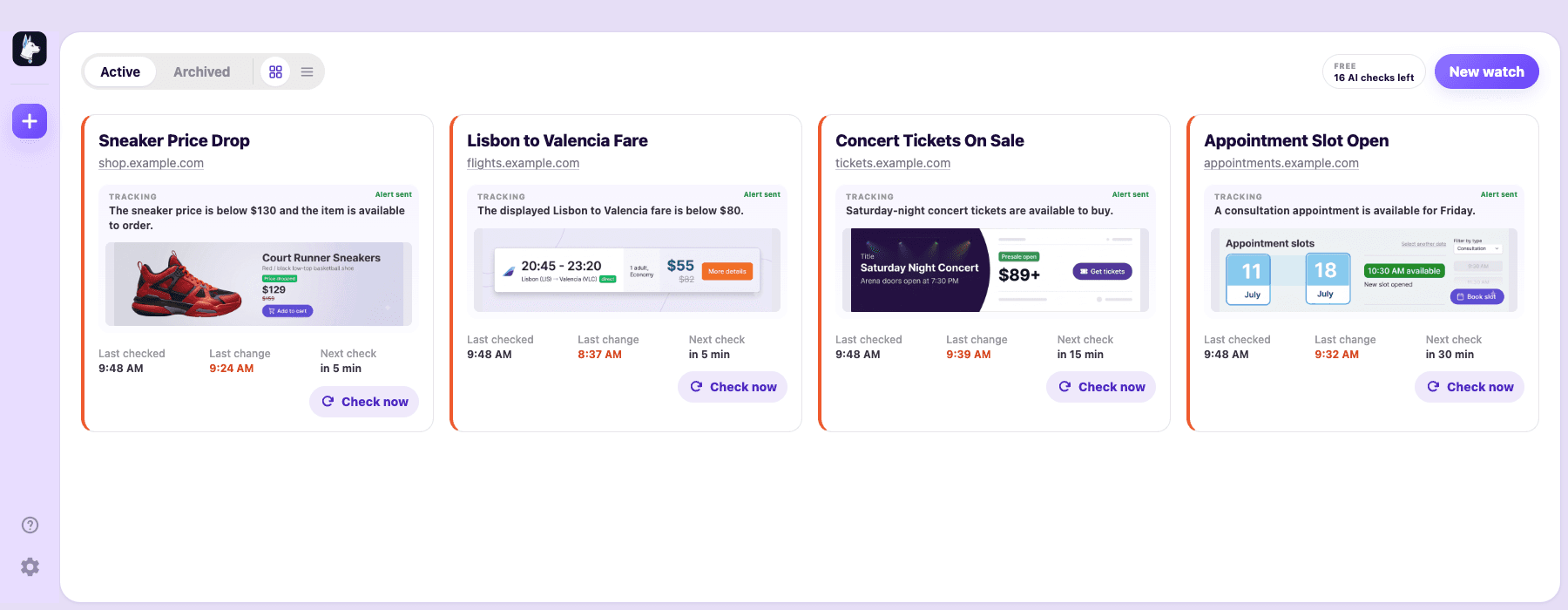
See PageDog in action
See the alert condition, latest outcome, next check, saved captures, and monitoring-health status together.
How it works
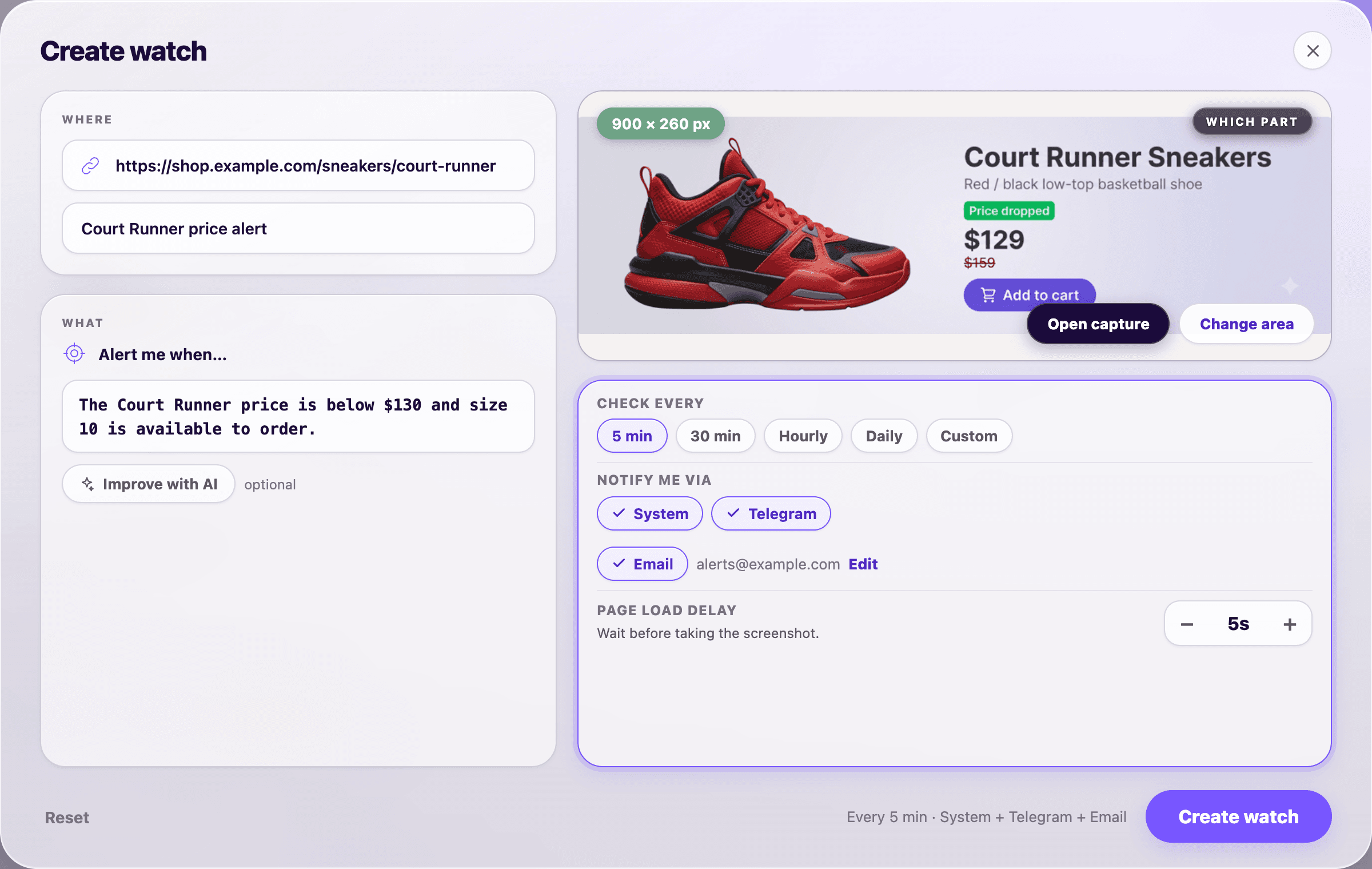
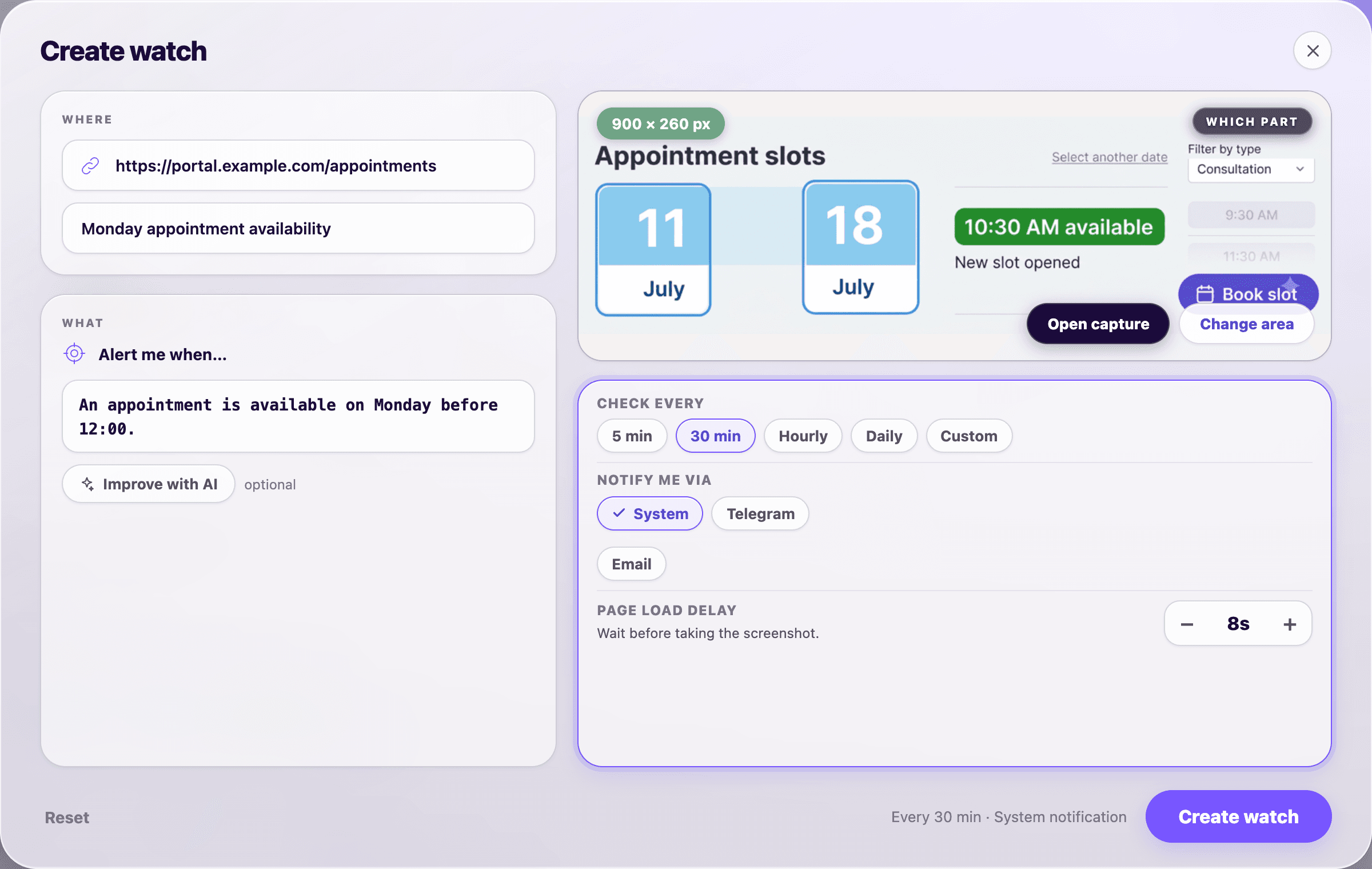
Open an http or https page, use your normal signed-in session when needed, and select only the visible area that matters.
Write one testable condition, such as “Alert me when this fare is below €80.” PageDog checks that it is specific before saving it.
Use an interval inside an optional daily window, or choose several daily times, weekdays-only checks, page wait time, and alert delivery.
AI checks whether the condition was met and explains its decision using the selected area.
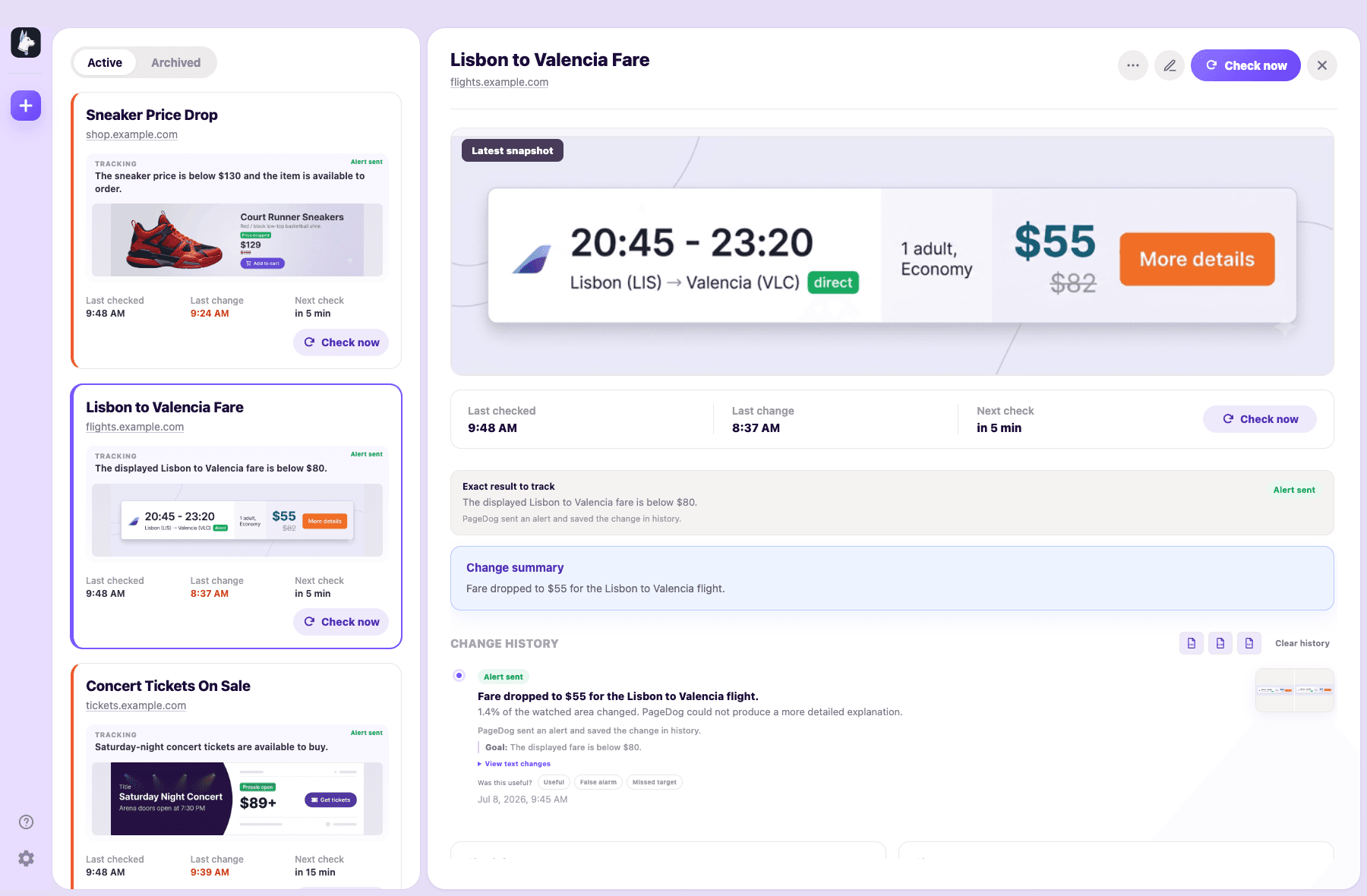
After an alert
Open a watch to see the alert condition, AI decision, readable text diff, before and after captures, delivery outcome, feedback controls, and schedule.
Local-first limits
Checks run while PageDog is open, your Mac is awake, and the network is available.
PageDog reuses a persistent local browser session for many signed-in pages. Login, CAPTCHA, paywall, and bot checks may still need you to reopen the page.
When evaluation is needed, PageDog sends selected-area crops, visible text, and structure to hosted AI. Browser session data and local history stay on your Mac.
PageDog is not a cloud runner, scraper platform, CAPTCHA solver, or browser automation builder.
Website checks for outcomes such as:
Common questions
Choose the page and area, describe when you want an alert, and keep the schedule you prefer.
Every watch needs one testable alert condition, such as “alert me when this fare is below €80.” PageDog checks the condition before it starts watching.
PageDog reuses a persistent local browser session on your Mac, so many signed-in pages keep working between checks. If a site asks for login, OTP, CAPTCHA, a paywall, or another security check, you handle it manually and PageDog resumes afterward.
One completed AI evaluation with a valid verdict uses one check. Identical local scans, failed page loads, captchas, retries, and AI provider errors do not use a check.
No. PageDog is local-first. Checks run on your Mac while the app is open, your Mac is awake, and the network is available.
Only data from the selected area: before and after crops, visible text, and a small structural summary. Your browser session and local change history are not uploaded.
Yes. Choose a regular interval with an optional daily time window, or set up to four daily check times. Either schedule can be limited to weekdays.
Download PageDog for Mac and start with 20 completed AI checks each month.
Download PageDogApple siliconIntel Mac

